
Visitor pass requests (Visitors module)
The Visitors module (Visitor Management) lets your company handle visitor pass requests: an employee creates a request for a guest visit, and the person responsible for passes processes it — orders a pass or declines the request. In the interface the page is called Visits; it is available when the Visitors module is enabled for the company.
Where to find the page
In the web version, the Visits page is a tab of the Requests section in the header (located between Lockers and Analytics); in the profile menu the matching item is “My visits”. In the mobile version, the page is available from the “More” menu. The Requests section is shown only when at least one of the request modules — visitor passes or service requests — is enabled; if the Visitors module is disabled, the Visits tab is not shown. Notification-bell links for active requests also lead to the Requests section.
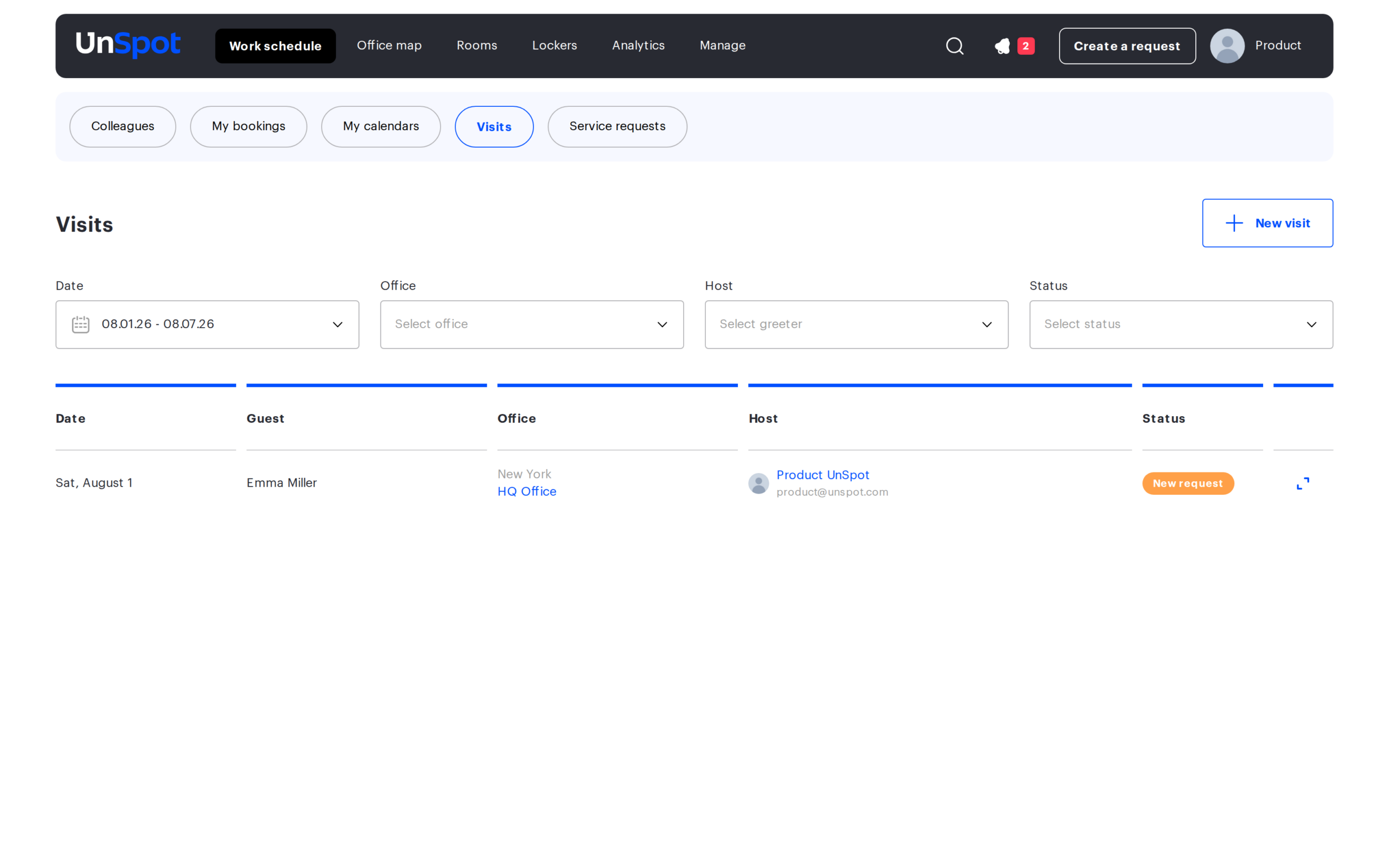
Creating a request
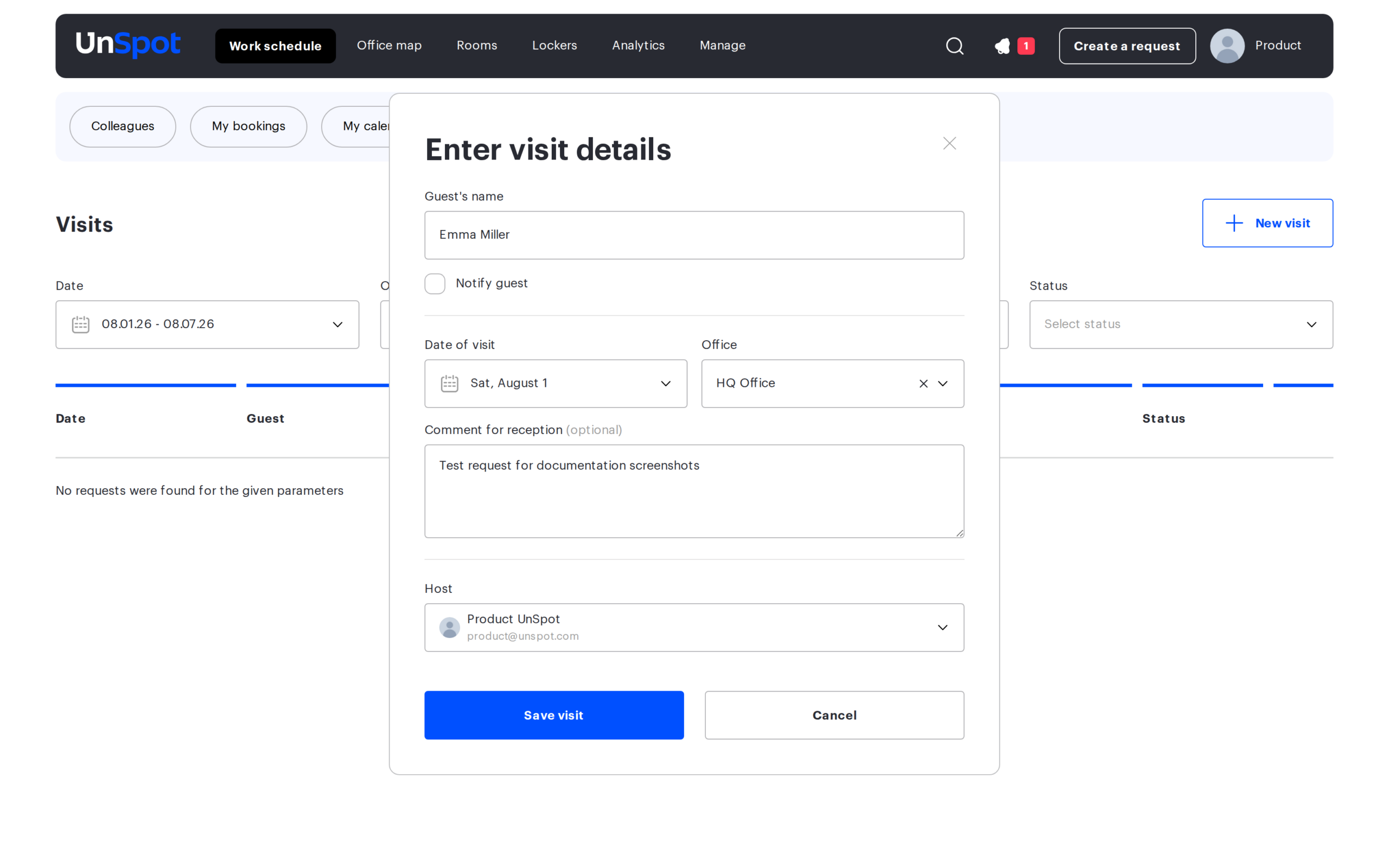
Click “New visit” and fill in the details in the “Enter visit details” window: the guest’s name, the date of visit, the office, an optional comment for reception, and the host employee. After clicking “Save visit”, the request appears in the list with the “New request” status and becomes visible to the people responsible for ordering passes.
You can also create a request from any page via the “Create a request” button in the header: choose “Request a visitor pass” in the list that opens. If only one request type is available in your company, the list is skipped and the form opens right away.
Request statuses
| Status | What it means |
|---|---|
| New request | The request has been created and is awaiting processing. It can be completed or declined. |
| Completed | The pass has been ordered (the “Pass ordered” button). Final status — the action buttons are no longer shown. |
| Declined | The request has been declined — a decline reason is entered and stored in the request history. Final status. |
Roles and permissions
| Role | Permissions on the Visits page |
|---|---|
| Member | Sees and creates requests where they are the creator or the host. |
| Office manager | Sees requests from all users and can complete (“Pass ordered”) or decline any request — including one they created themselves. |
| Super Administrator | Works with requests under the same rules as a Member. |
| Reception | Handles visitor vehicle pass requests (see the User Roles article). |
Learn more about roles in the User Roles article.
Requests report
The history of visitor pass requests can be exported to CSV: the Reports page → the user action history group → the “Pass request history” report. The report separates the request initiator, the visitor and the host; it supports filters by visit date, employees and offices, plus optional employee details. See the column reference in the Reports article.
New request notifications
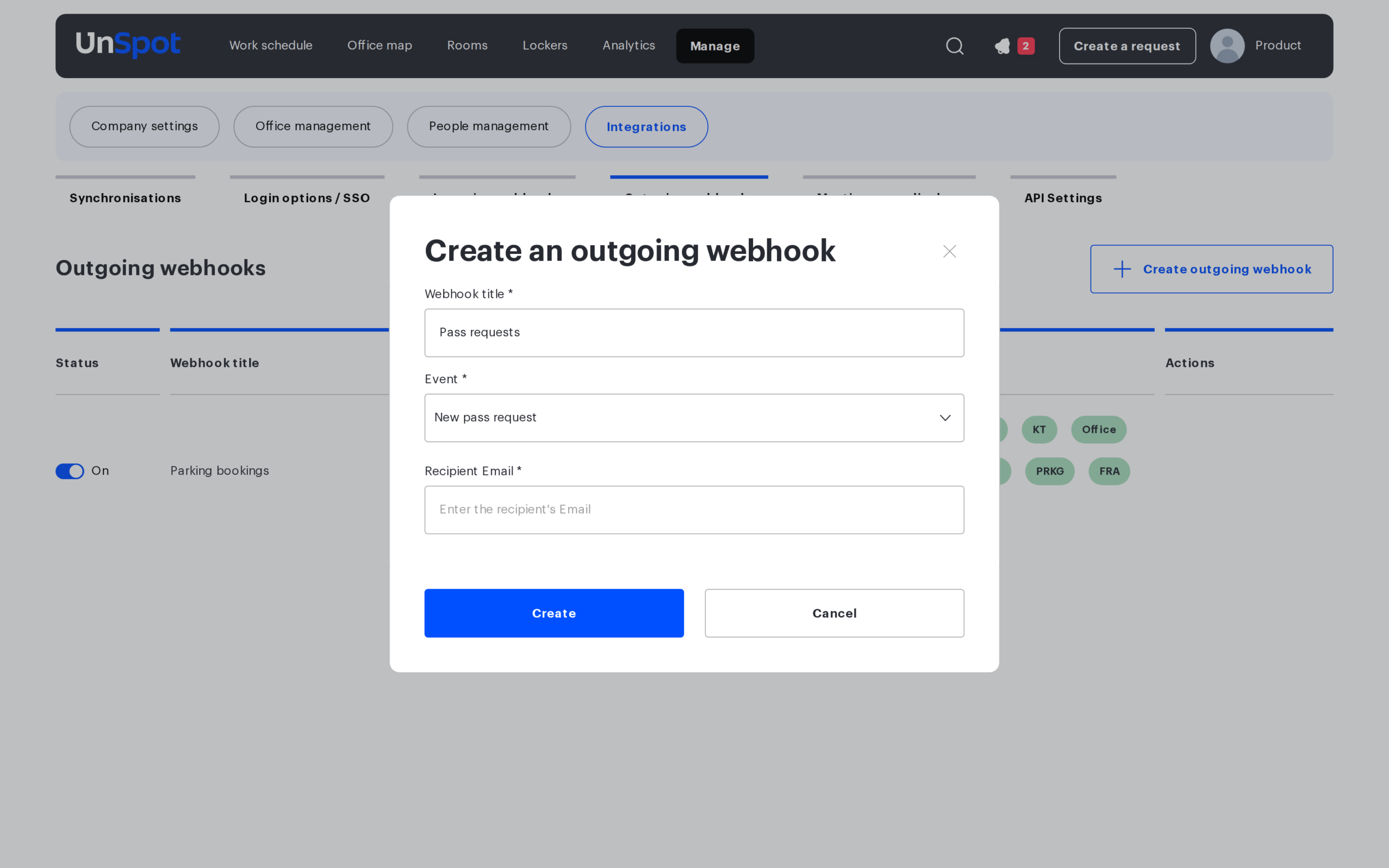
To receive an email about every new visitor pass request, set up the “New pass request” outgoing email subscription. Go to Manage → Integrations → Outgoing webhooks, create a subscription, select the “New pass request” event (in the “Requests” group) and specify the recipient’s email address. If several subscriptions with different addresses are created, the email is sent to each of them.
The email is sent when a new request is created and the subscription is active. It contains: the visit date, the space (clicking it opens the office map), the host with their position, the visitor’s name and email, the comment for the reception and the comment for the visitor. The “Go to UnSpot” button opens the Visits page with the card of this request.
Mobile version
The Visits page is fully adapted for mobile devices and shows the same information as the web version:
- the page opens from the mobile “More” menu (when the Visitors module is enabled);
- filters open in a separate modal window via the filter button; the date is pre-filled by default;
- full request details are available via the “Show details” button (modal window);
- visitor pass requests are included in the overall inbox counter.
Related articles
- Processing service requests — the neighbouring tab of the same “Requests” section
- Service requests: overview — how service requests work
