22-09-2026
Your identity provider now decides who is who in UnSpot
Someone moves from facilities to IT, and a month later they are still an Offices Administrator in UnSpot. Someone leaves the company, and nobody remembers to take their booking-system rights away. It is a familiar story: permissions in the corporate directory change by the book, while every separate service is updated by hand and from memory.
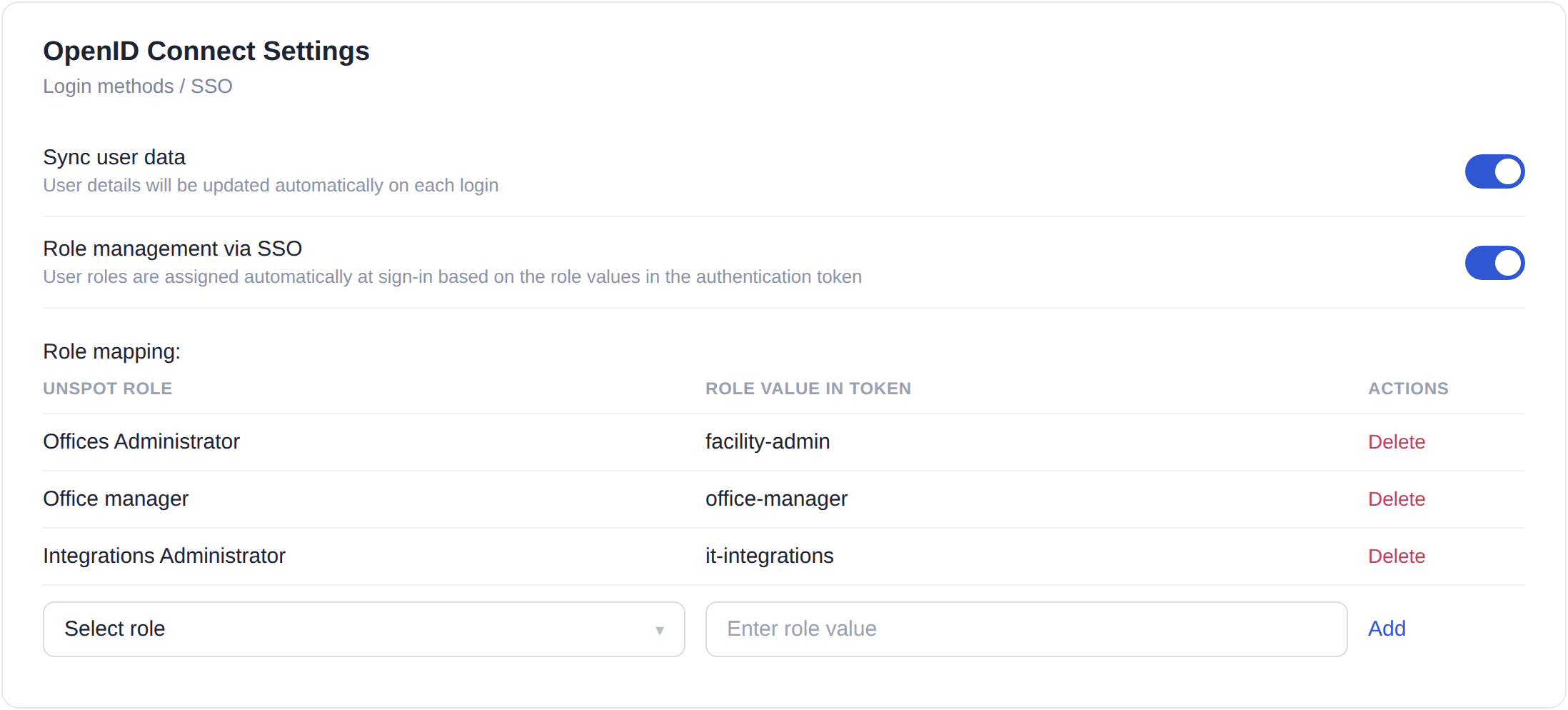
What is new
The OpenID Connect settings now have a «Role management via SSO» toggle. Next to it is a mapping table: the UnSpot role on the left, the role value that arrives in your provider's token on the right. One UnSpot role can be matched to several external ones — if both facility-admin and office-admin mean the same thing in your company, both rows point to Offices Administrator. There is no limit on the number of pairs, and matching is case-insensitive.
How it works at sign-in
From there it runs by itself. If you create users by trusted domain, a new employee gets the right role on their very first sign-in — no manual account, no follow-up permission change. If you sync user data, the role is checked on every sign-in: move a person in the directory, and they will sign in to UnSpot with the new rights.
What happens when the role does not arrive
Sign-in never breaks — that is deliberate. If the token carries no role, the value is not in the table, or it matches several UnSpot roles at once, a new user is created as a regular employee and an existing user keeps their current role; the remaining fields are updated as usual. Every matching attempt is written to the log, so the setup can be checked rather than guessed.
What you get
One source of truth instead of two. An employee's rights live where the rest of their access lives — in the corporate directory. The office manager no longer has to remember who needs what after a transfer, and security can see that disabling an account also removes UnSpot rights. When role management runs together with user data sync, the role field on the employee card becomes read-only, so an accidental edit cannot drift away from the directory.
The setting is in Settings → Integrations → Login methods / SSO → OpenID Connect. It can be switched on once user creation by trusted domain or user data sync is already running.