22-09-2026
No more booking a meeting room six months ahead
Every team has that one meeting room — good screen, a window, fits ten people. And there is almost always someone who booked it as a weekly recurring event until the end of the year. Formally it is fair: first come, first served. In practice the room has dropped out of the shared pool, and everyone else is hunting for somewhere to meet next week.
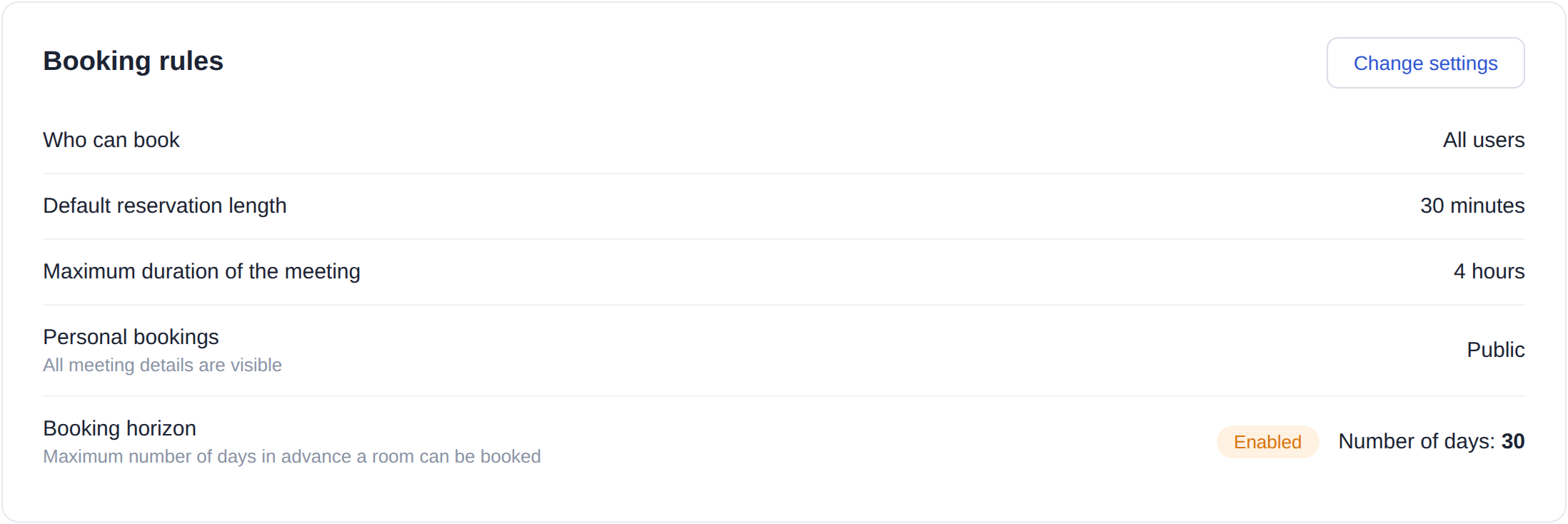
What is new
Meeting rooms now have their own «Booking horizon» policy — the maximum number of days in advance a room can be booked. It is set per room in the booking rules: off by default, 30 days when you switch it on, and any value from 1 to 1080. The «Booking horizon» row was already in the rules block before, but the setting did nothing. Now it does.
How the horizon is counted
In calendar days, starting today. Thirty days means today plus another twenty-nine; one day means today only. A booking that falls outside the boundary is simply not created. For multi-day bookings and recurring series the rule is strict: one day past the horizon is enough to reject the whole chain, so nobody can hook the room with the first meeting and drag it a year forward.
Who it applies to
Every user, whatever their role — there are no exceptions by job title. Events that arrive from a connected calendar are not restricted: the calendar stays the master system, and UnSpot does not rewrite what was created in Outlook or Google. When a room is unavailable under the horizon, the office map shows it as inactive along with its timeline, so you can see at a glance that it cannot be booked beyond that date.
What you get
Meeting rooms stop quietly becoming the property of one team. The horizon is set per room rather than per company: a week for the small room used for quick calls, a quarter for the large one used for client meetings. And planning gets more honest — a month out you see real demand instead of a picture of who reached the calendar first.
The setting is in Settings → Office management → Workspaces, the meeting room page, the «Booking rules» block, the «Change settings» button.