22-09-2026
A locker for a while, not forever
Lockers are honest about one thing: there are always fewer of them than there are people. While a company grows, the cells are claimed within a week — and then every office manager knows what happens next. Half of them belong to someone who booked six months ago and has opened the door twice since. A new hire arrives and there is nothing free. So you walk the aisles, cross-check lists, send "please free it up" emails and get silence back.
It is not about people. A locker booking is open-ended by default, and nobody ever revisits something open-ended.
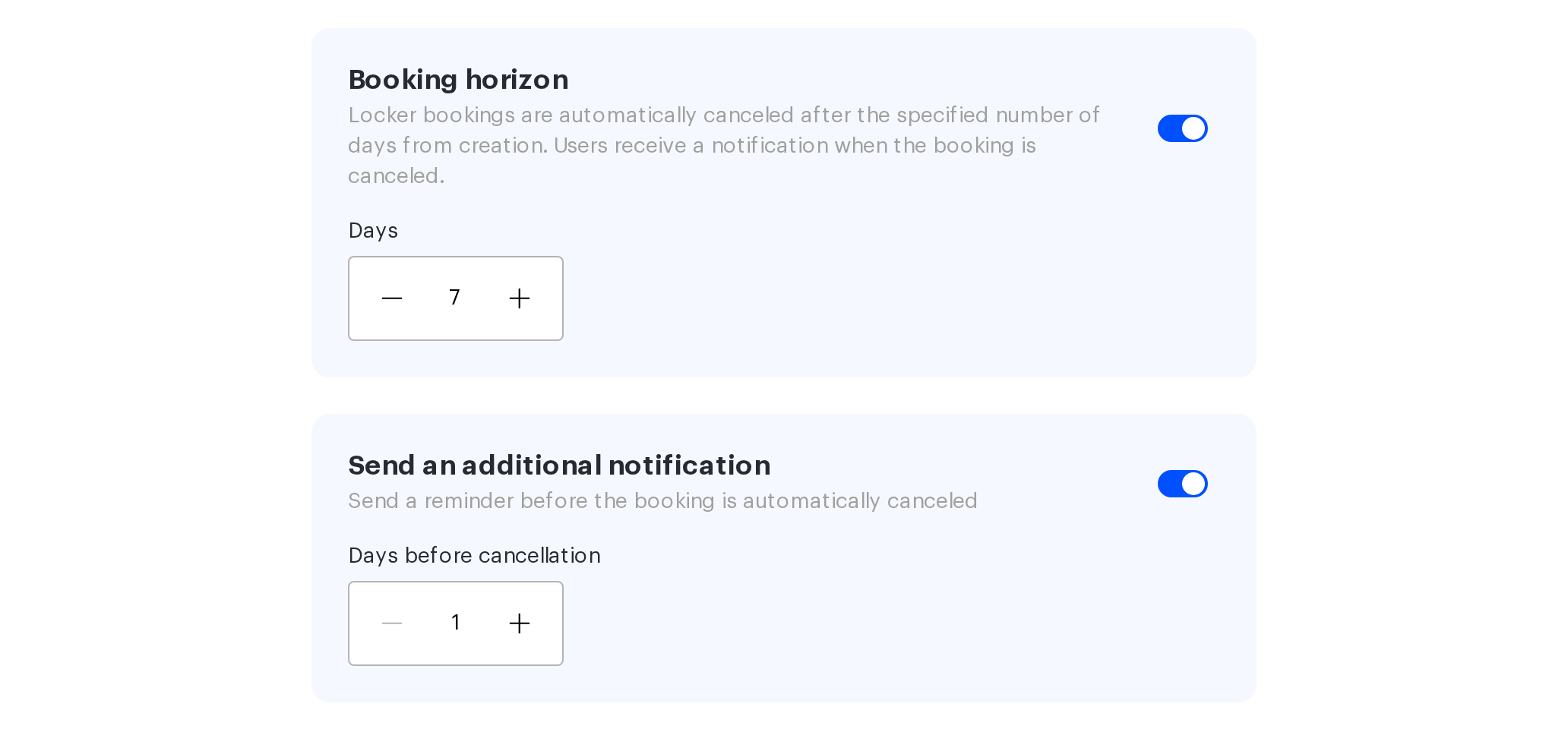
Booking horizon: a deadline that enforces itself
Locker booking rules now include a Booking horizon policy. The administrator sets a number of days, and after that period the booking is released automatically. The setting belongs to each locker separately and is off by default, so existing lockers keep working exactly as before.
The maths is predictable: the day of booking counts as day one, and the countdown follows the time zone of the office the locker belongs to. In a distributed company, cells are freed by local time rather than by headquarters time.
The point is that the cell returns to circulation without anyone's involvement. No walking the aisles, no reminder emails. What used to be a recurring task for the office manager is now a rule that runs itself.
The warning that makes the rule usable
Automatic cancellation has an unpleasant side, and for a long time it was the reason not to switch the horizon on at all: someone comes for their things and the locker already belongs to somebody else. One such case is enough to disable the policy forever.
That is now avoidable. Next to the horizon there is a Send an additional notification toggle: the administrator sets how many days before cancellation to warn the owner, and the email goes out in advance. The period is 1 to 30 days and has to be shorter than the horizon itself — the system will not let you configure it the other way around.
The email at the moment of cancellation is still there. The difference is that the employee now has time — to extend the booking, collect their things, or claim the cell again.
What changes
A horizon without a warning is a rule that puts you at odds with your colleagues. A horizon with a warning is an agreement: the locker is issued for a period, the period is announced in advance, and after that it goes back to everyone.
Which is why these two settings belong together.