22-09-2026
Call people what your company calls them
In any sufficiently large company, the names in the systems and the names in real life are two different sets. The directory says "Kathryn E. Whitmore"; everyone calls her Kate. Someone's corporate account is a transliteration nobody recognises. There are two Alex Petersons in the same department, and the only way to tell them apart is an employee number nobody remembers.
Until now UnSpot showed whatever came from the directory: first name and last name. On the office map, on the displays outside meeting rooms, in the "Who is in the office" list — everywhere.
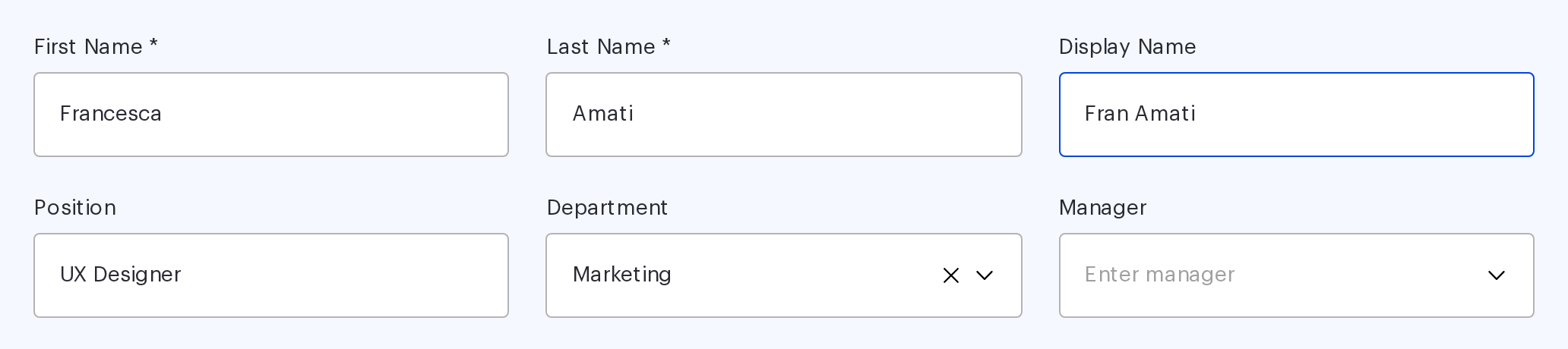
The Display Name field
Employees now have a field of their own: Display Name. When it is filled in, that is what the interface shows — on the Users and Displays pages, in tooltips on the office map, in meeting rooms and lockers, in the "Who is in the office" sidebar, in the user card and on the screens by the rooms.
When the field is empty, everything looks as it did before — first name and last name. You do not have to configure anything to keep things as they were.
Why an office cares
First, recognition. A booking on the map is labelled the way colleagues actually refer to the person, not the way HR entered them. That sounds minor right up to the moment you are looking for a free desk next to someone specific.
Second, namesakes. Two Alex Petersons become "Alex Peterson (Marketing)" and "Alexander Peterson", and the "which one?" question disappears.
Third, displays. On a screen outside a meeting room the name is read from a distance and in passing: three words with a middle initial read worse than two familiar ones.
Search understands it too
Display Name takes part in user search and in global search alongside the other fields. You can find a colleague by the name you actually use for them rather than by the official one.
And you do not have to fill the field in by hand for the whole company: it can be synchronised from your corporate directory together with the rest of the employee record.
A small thing everybody notices
Display Name is the kind of change that never makes it into a slide deck but gets noticed on day one. Someone opens the office map and sees the team the way they know it: colleagues rather than an export from a personnel system.
There is one limit — 255 characters, which covers any sensible form of a name. And when an employee's personal data is deleted, the field is cleared along with the first and last name, so it needs no separate attention.