24-11-2025
Enhanced OpenID Connect Settings
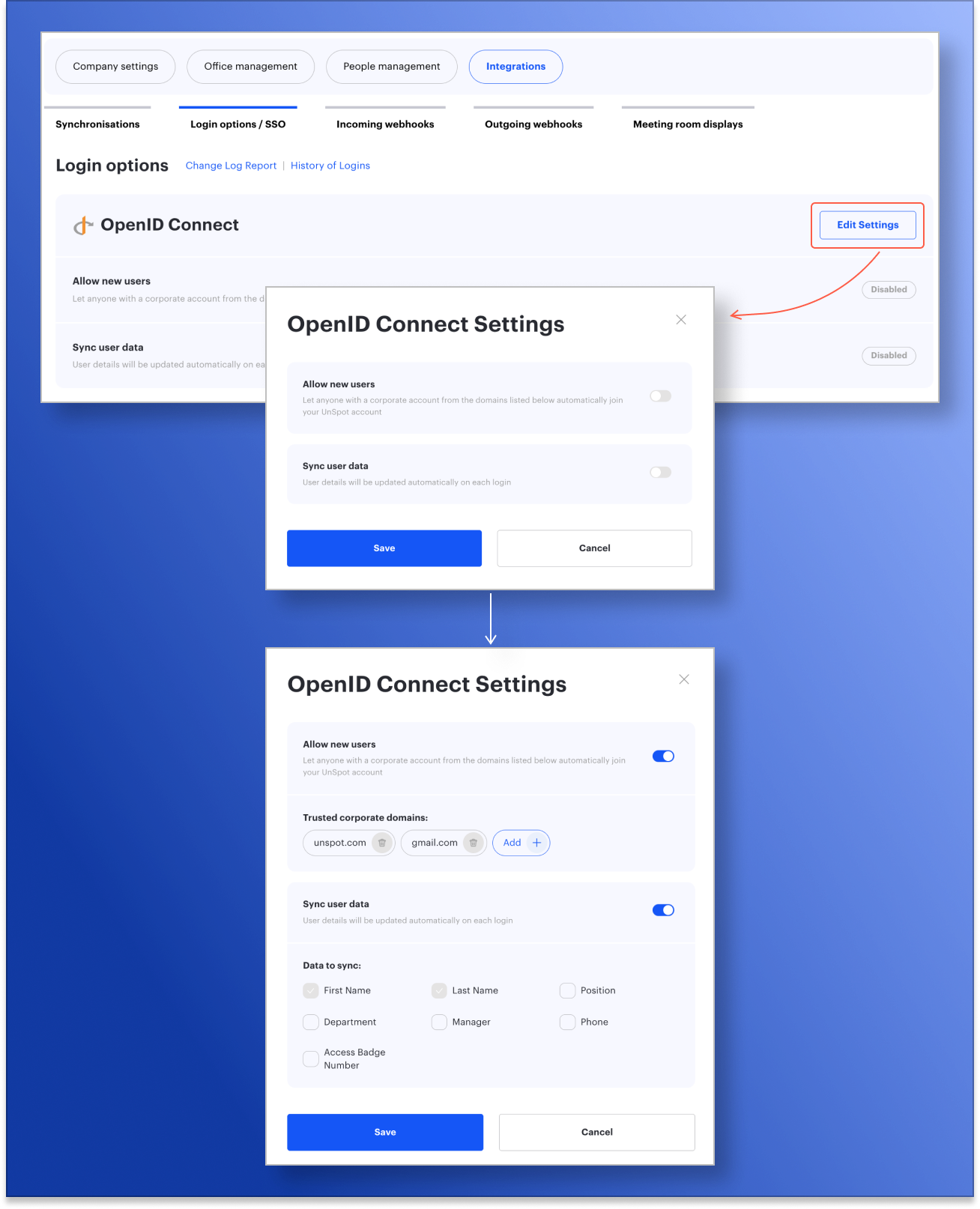
We’ve made configuring OpenID Connect even more convenient and intuitive. Administrators can now manage trusted domains and choose which user data will be synchronized via SSO.
On the “Login options / SSO” page, you can see the connection status, the list of trusted domains, and the fields that will be automatically updated when a user signs in. If no configuration is set, the status is shown as “Disabled”.
User data selected for synchronization is now locked from manual editing in the profile, ensuring that this information remains consistent. All other data not managed via SSO stays editable.